A customer wants to pick up a bike at nine on a Sunday evening. You’re at dinner. The phone rings, and you drive over to hand over a key.
That’s what renting “24/7” usually means for a small rental business: you’re on call. An unstaffed rental — also called a self-service or cold rental — removes the call. The customer books, pays, collects and returns, and nobody has to be there.
In an unstaffed rental, the lock is the counter.
Everything the person at the counter used to do has to happen without them. Here’s what that is, how much of it TWICE Commerce already does, and the part that needs a little extra.
The four jobs the counter did
When someone stands at the counter, they do four things without thinking about it:
- Take payment before anything leaves.
- Pick the item — which bike, which box.
- Give access — a key, a code, an open door.
- Protect you if something comes back broken.
An unstaffed rental works when all four happen on their own. Three of them are already in TWICE Commerce.
What TWICE Commerce already handles
Payment. The customer books and pays in your online store. For an unstaffed rental, turn off pay-on-pickup: with nobody there, there’s nobody to pay.
Picking the item. With auto-assign on for the location, TWICE Commerce picks a free unit the moment the order is created. You’ll find it under Settings → Service locations → [your location] → Fulfillment. The TWICE Commerce docs list “self-service and unstaffed pickup points” as exactly what it’s for.
Hours. Pickup and return hours are set separately from opening hours, on the location’s Fulfillment tab. Give them a custom schedule and customers can book an evening pickup even though the shop closes at five.
Damage. A card deposit is held on the customer’s card automatically before the rental starts, and released or partly kept when the item comes back. It’s a hold, not a charge, and it only exists if the customer paid by card.
That leaves job number three: getting the customer through the lock.
Giving access: the quick workaround
TWICE Commerce has fulfillment fields: values staff fill in for a stock item, such as a fitting number or a lock code. As of October, they can appear in email templates.
So you can do this:
- Create a fulfillment field called Lock code and attach it to the stock items behind a lock.
- Give each unit its code.
- Add the field to your order confirmation email. Each customer gets the code for the unit they were given.
It works, and it costs nothing extra. For a key box you check every week, it may be enough.
Where it falls short
The code never changes. Everyone who has ever rented that unit knows the code, and can open it again next month. Unless you change the code — on the lock and in TWICE Commerce — after every rental, you’re relying on everyone being honest.
The code works all the time. Nothing limits it to the booking. Someone who booked Saturday can open it on Wednesday.
Changing codes is the job you wanted to get rid of. You’ve swapped driving over with a key for updating codes by hand.
Giving access properly: a code per booking
This is what we built for TWICE Commerce stores with smart locks:
- When a customer pays, a code is made for exactly their booking time, rounded to full hours.
- The code is saved on the order and sent in its own email — a TWICE Commerce email template you can edit like any other.
- If the booking moves, a new code is made and sent.
- One code per lock, even if the order has several items behind it.
- No app for the customer: they type the code on the keypad.
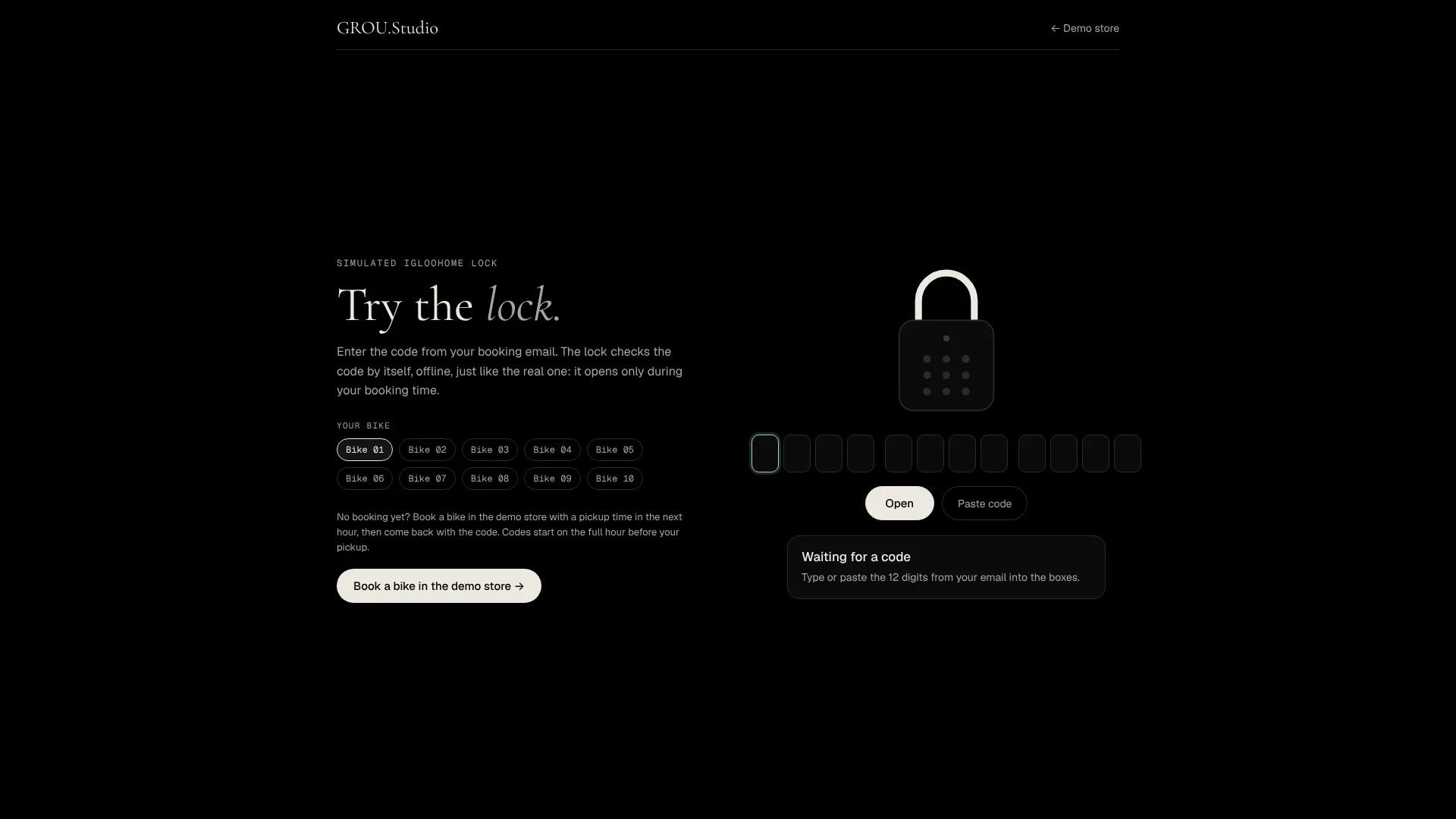
The demo uses igloohome, and any smart lock with an API can work the same way. You can book a bike in a real TWICE Commerce test store and try the code on a simulated lock from the smart locks page.
The part that trips everyone up: offline locks can’t take a code back
Many smart locks, igloohome included, work offline. The lock checks the code by itself, which is why it works in a forest with no signal. But it also means nobody can reach the lock to cancel a code.
So if a booking is shortened or cancelled, the old code still opens the lock until its original end time — unless someone removes it over Bluetooth or through a bridge.
A smart lock can always let someone in on time. An offline one can’t always keep them out early.
That’s fine for most rentals: cancellations are rare, and the same customer rarely comes back to use a code they gave up. But decide what you’ll do when it happens, before it happens. And agree on a backup, such as a staff member who can give a code by phone if anything fails.
The setting that catches people first
Your pickup hours follow your opening hours by default. Switch on everything above, and customers still can’t book a Sunday evening pickup if the shop is closed on Sundays.
Open the location’s Fulfillment tab and give pickup and return their own custom schedule. That’s the line between “we have a lock” and “we rent 24/7”.
Common mistakes
Leaving pay-on-pickup on. No card means no deposit hold and nobody to collect money. Unstaffed means card only.
Hours still tied to the shop. See above — the most common reason an unstaffed rental doesn’t get evening bookings.
One code for everything. A shared code for all your boxes is fine until one customer shares it.
No backup. Batteries run out and emails land in spam. Decide who answers the phone before you go fully unstaffed.
A few common questions
Can TWICE Commerce run an unstaffed rental? Mostly, yes. Online payment, automatic unit assignment, separate pickup hours and card deposits are built in. Access through a lock needs either a fixed code in a fulfillment field or a smart-lock connection.
Does the customer need an app? No. With a keypad smart lock, they type the code from their email.
Which smart locks work? igloohome is the example in our demo. Any smart lock with an API can be connected the same way.
What if the lock has no internet? Offline locks check codes themselves, so they work without a connection. The trade-off is that a code can’t be cancelled remotely.
How long does it take to set up? The workaround takes an afternoon. Per-booking codes with a smart lock usually take one to two weeks.
The One-Sentence Summary
If you remember one line:
TWICE Commerce already takes the payment, picks the unit, sets the hours and holds the deposit — an unstaffed rental only needs the lock to open for the right person at the right time.
We connect smart locks to TWICE Commerce stores so every paid booking gets its own code. Try the demo and see if it fits your rentals.