A sauna, a climbing hall, an adventure park, a ski trail or an event all sell the same thing: a way in. A day pass, a week pass, a five-visit card, a year pass. Selling them online is easy. The trouble starts at the door.
That’s where someone stands with a phone, showing a screenshot of an email. Is it real? Has it been used already? How many visits are left on the card?
Selling a ticket is a sale. Checking a ticket is memory: is this one real, and has it been used?
Here’s how to sell tickets on TWICE Commerce, the quick workaround for small numbers, and the part that catches people out.
Which tickets you need
Most places manage with two basic types:
- Single-use ticket. One visit. It’s spent when someone goes in. It can be tied to a day (a day pass) or valid any time (an open ticket).
- Period pass. Valid for a set time, say 7 days or 12 months. Visits can be unlimited, or capped, like a five-visit card.
Everything else is a mix of the two. Once you know which one you sell, you know what the door has to remember: for a single-use ticket, whether it’s been used; for a pass, how many times.
Does TWICE Commerce sell tickets?
Yes, the same way it sells any product. You make a listing for the ticket, set the price, and the customer pays in the normal checkout. TWICE Commerce can also ask for details per ticket at checkout, such as the name of the person each ticket is for.
What it doesn’t have is checking at the door. TWICE Commerce knows the ticket was sold. It doesn’t know whether someone has already used it.
The quick workaround: order numbers on a list
- Sell tickets as ordinary products.
- Print or open a list of the day’s orders at the door.
- When a customer arrives, find their order number and cross it off.
It works when visitors are few and come on the day they bought.
Where it falls short
The queue grows. Finding a name or number on a list takes a moment. On a Saturday morning, ten people wait for that moment.
Visit cards are counted by hand. A five-visit card needs someone to log every visit and check how many are left.
A screenshot works twice. With two people at the door and two lists, the same ticket can get in at both.
A QR ticket that proves it’s real
This is the version we built. Tickets are still sold in TWICE Commerce, but every ticket is its own QR code, and a phone checks it at the door.
- Once the order is paid, each ticket is issued. Two tickets on one order are two separate QR codes.
- The ticket arrives by email and opens on the customer’s phone. The code is also saved on the order in TWICE Commerce.
- The code carries what the ticket grants — the order, the dates and the ticket type — and a signature only your system can make. Change a single character and it fails the check.
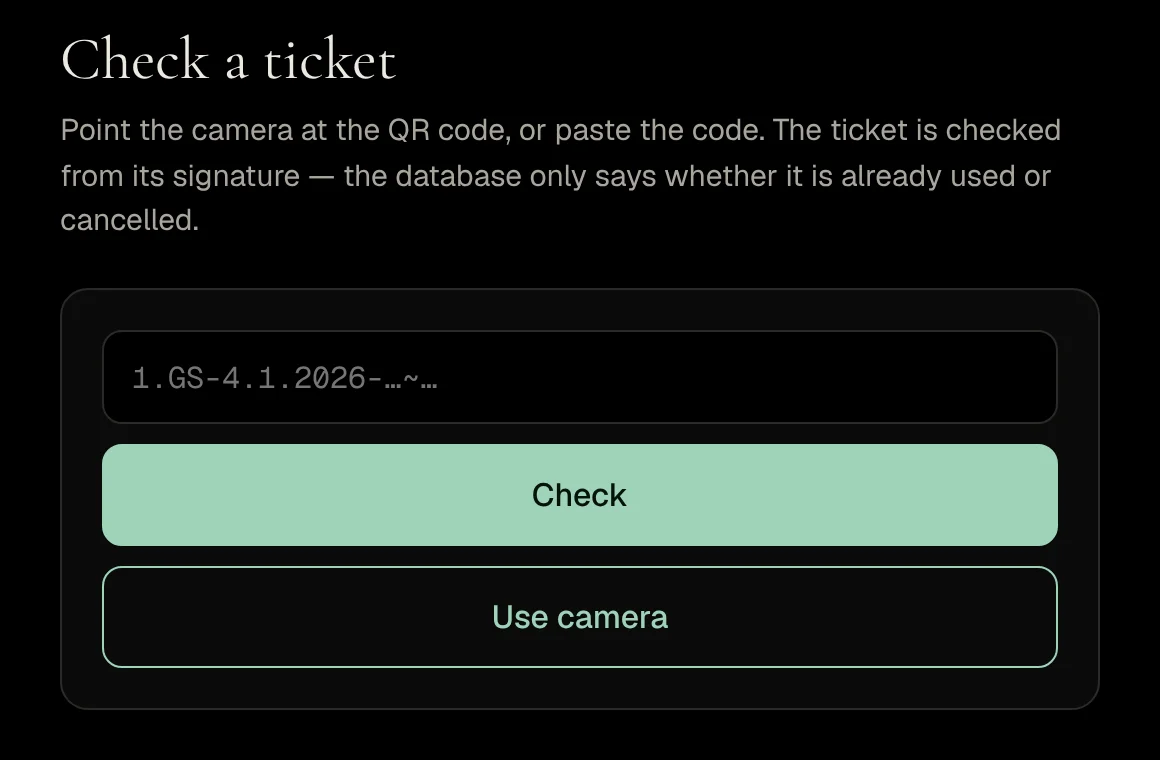
- At the door, staff open the scanner in a phone browser. No app, no special hardware.
- A single-use ticket is spent on the first scan. A pass counts every visit, up to its limit if it has one.
- Two scanners can’t both accept the same visit at the same moment.
The demo store sells five tickets: a day pass, a 7-day pass, an open ticket, a five-visit card and a year pass. You can buy one and scan it yourself from the tickets page. Scan it twice to see what happens at the door.
The part that trips everyone up: a refund doesn’t cancel the ticket
The signature proves a ticket is real. It doesn’t prove the ticket is still valid. And a signature can’t be taken back: once issued, a ticket looks genuine to the end.
So cancelling goes through a separate list of cancelled tickets. In our version that happens automatically when you archive or delete the order in TWICE Commerce. A refund on its own isn’t enough. Refund a ticket but leave the order in place, and the ticket still works at the door.
When you refund a ticket, archive the order too — otherwise the ticket still gets in.
The same is true of every system that checks a ticket from its own contents: boarding passes, train tickets, hotel key cards. Cancelling has to go through whatever does the checking.
What to decide before you start
- Ticket types. Start with two or three. A day pass and a visit card cover most places.
- Validity. Does an open ticket expire? How long is a visit card valid? Put it in the product description.
- Named or not. If a ticket is personal, ask for the name per ticket at checkout.
- Who scans. A phone or tablet with a browser and a camera. Try the scanner before the first customer.
- A fallback. Decide what happens when a customer’s phone is dead. With the order number, you can find the ticket in TWICE Commerce.
Common mistakes
Refunding without archiving. The money goes back, the ticket still works. Always do both.
One QR for the whole order. If a family of four gets one code, the door can’t tell how many have gone in. One code per ticket.
Visit cards without a count. If visits aren’t counted, a five-visit card is a year pass in practice.
A few common questions
Can I sell entry tickets on TWICE Commerce? Yes, like any product. Checking them at the door isn’t built in; it’s added separately.
Does the customer need an app? No. The QR code arrives by email, and they show it on their phone or on paper.
What do I need at the door? A phone or tablet with a browser and a camera. The code can also be pasted by hand.
Can someone copy a ticket and use it twice? A copy looks genuine, but the first scan uses it. A single-use ticket that’s already been used is turned away.
How fast can this be live? The workaround takes a day. QR tickets with a scanner usually take one to two weeks.
The One-Sentence Summary
If you remember one line:
TWICE Commerce sells a ticket like any product, but the door needs a memory — a QR ticket that proves it’s real, and a record of used and cancelled tickets so the same ticket can’t get in twice.
We set up QR tickets and a phone scanner on TWICE Commerce stores. Buy a demo ticket, scan it, and see if it fits your place.