
A teacher calls in November: class 6B is coming skiing on the winter sports day, 25 pupils, skis, boots and helmets. Then the work starts. You need each one’s height, weight, age, shoe size and skier type. The teacher knows none of them.
The details arrive as a spreadsheet with half the columns empty, or as 25 emails from parents. Someone types them in the night before.
A group order isn’t one big order. It’s 25 small ones with one person paying.
This tip covers why groups are hard for a rental business, what TWICE Commerce does on its own, and how to collect the details with one link.
Why groups are hard
A single customer books online and answers the checkout questions themselves: height, weight, shoe size. In a group, the person booking and the people renting are different people.
- The booker doesn’t know the sizes. The teacher, coach or HR person pays, but the heights belong to the pupils and their parents.
- One payer. The school or club wants one invoice, not 25 separate payments.
- The group changes. Someone gets ill, someone joins at the last minute, someone realises they gave the wrong shoe size.
All three need solving before the first ski is adjusted.
Can TWICE Commerce do this?
Partly. TWICE Commerce has the data model for a group order: an order has one billing contact and one or more order customers. Each customer has their own lines, and the answers to the checkout questions are saved on the line they belong to. You can also add internal fields for the technician, such as the DIN value they set.
The questions live on the product: in a listing’s checkout settings you choose what to ask. For a ski package, height, weight, age, shoe size and skier type; for a helmet, head circumference.
What it doesn’t have is a way to collect the answers from the group.
The manual path
- Ask the booker for a list: names, chosen gear and sizes.
- Create the order in the TWICE Commerce admin and set the booker as the billing contact.
- Add each participant as an order customer, with their own lines.
- Type in the answers on every line.
- Send the booker a payment link.
For 25 pupils that is easily a hundred lines and around five hundred fields.
Where it falls short
The details arrive in the wrong shape. The spreadsheet says “38-39”, “not sure” and has empty cells. Each one needs checking.
The online store doesn’t help. If everyone books on their own, you get 25 orders and 25 payments, and the school wanted one invoice. If one person books for everyone, they need to know everyone’s sizes.
Changes come by email. Every “Eetu’s shoe is a 40 after all” is a manual change on the right line.
One link, one order
This is the version we built. You create a form for the group and share one link. Each participant, or their parent, fills in their own details on their phone.
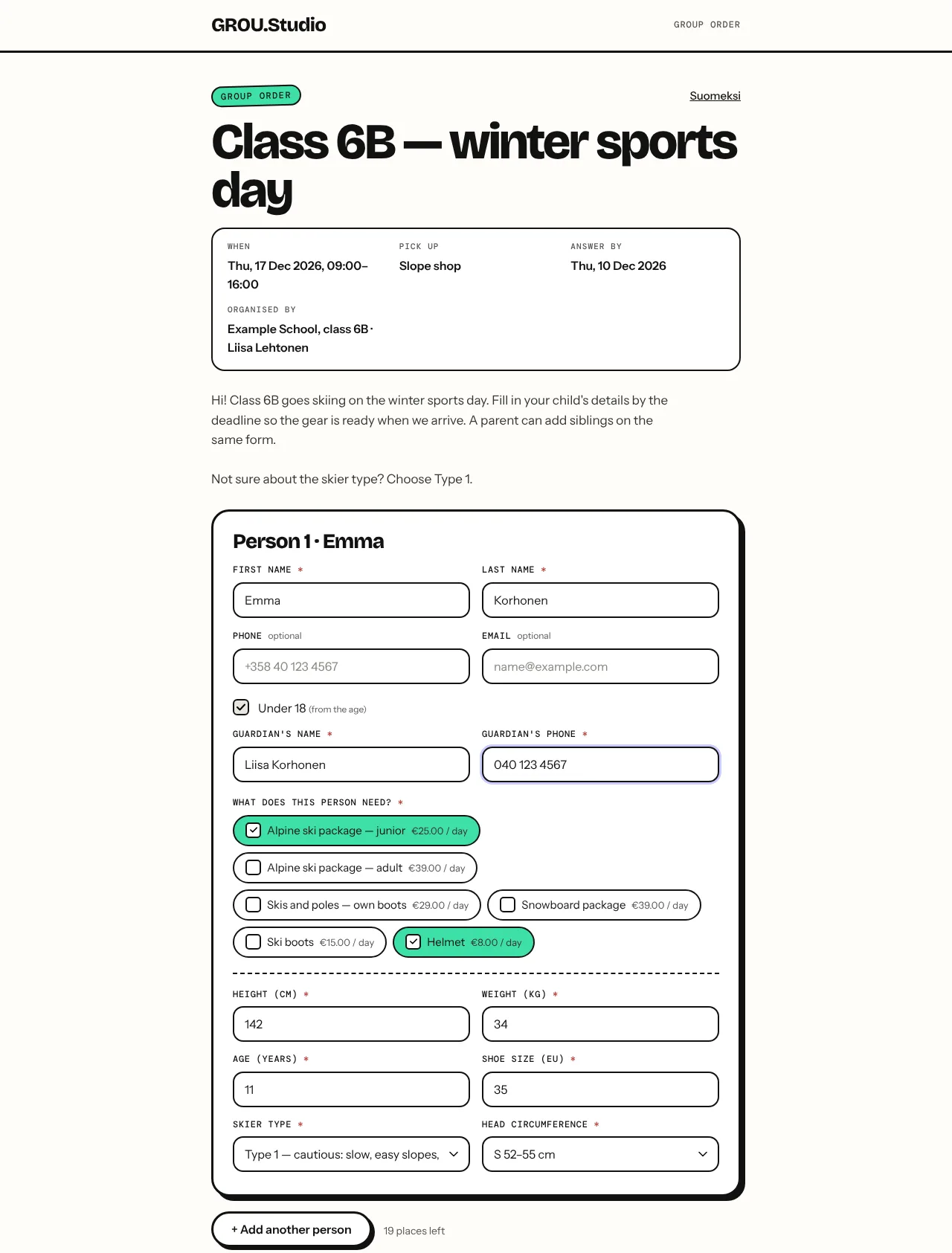
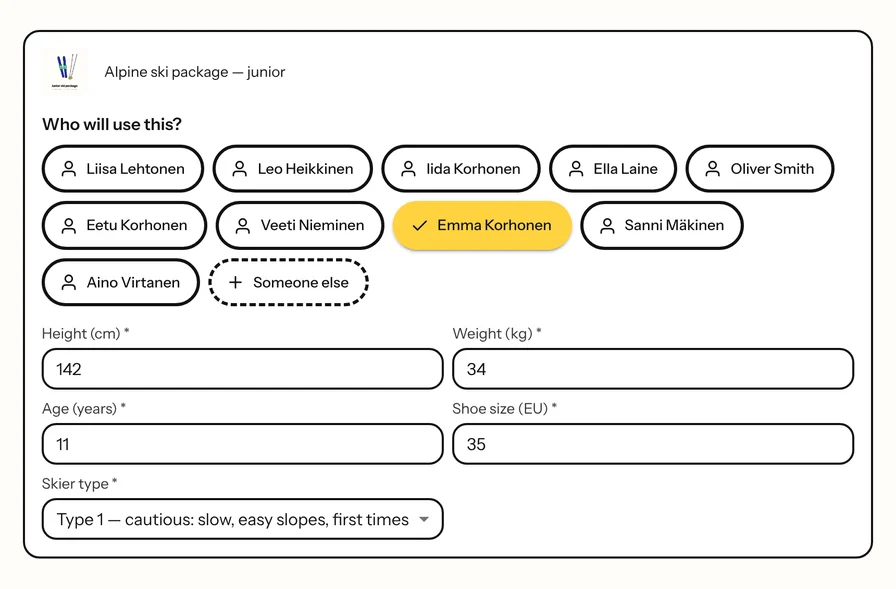
- The questions come from TWICE Commerce. Choose the ski package and the form asks the package’s questions. Choose the helmet and it asks for head circumference. A question two products share is asked once.
- A parent can add siblings on the same form, and everyone gets a link to change their answers until the deadline.
- You decide the form’s settings: whether prices are shown, and whether phone, email and a guardian for under-18s are hidden, optional or mandatory.
- The order is created when you press a button, or straight away with the first answer. Either way, answers that arrive or change later update the same order.
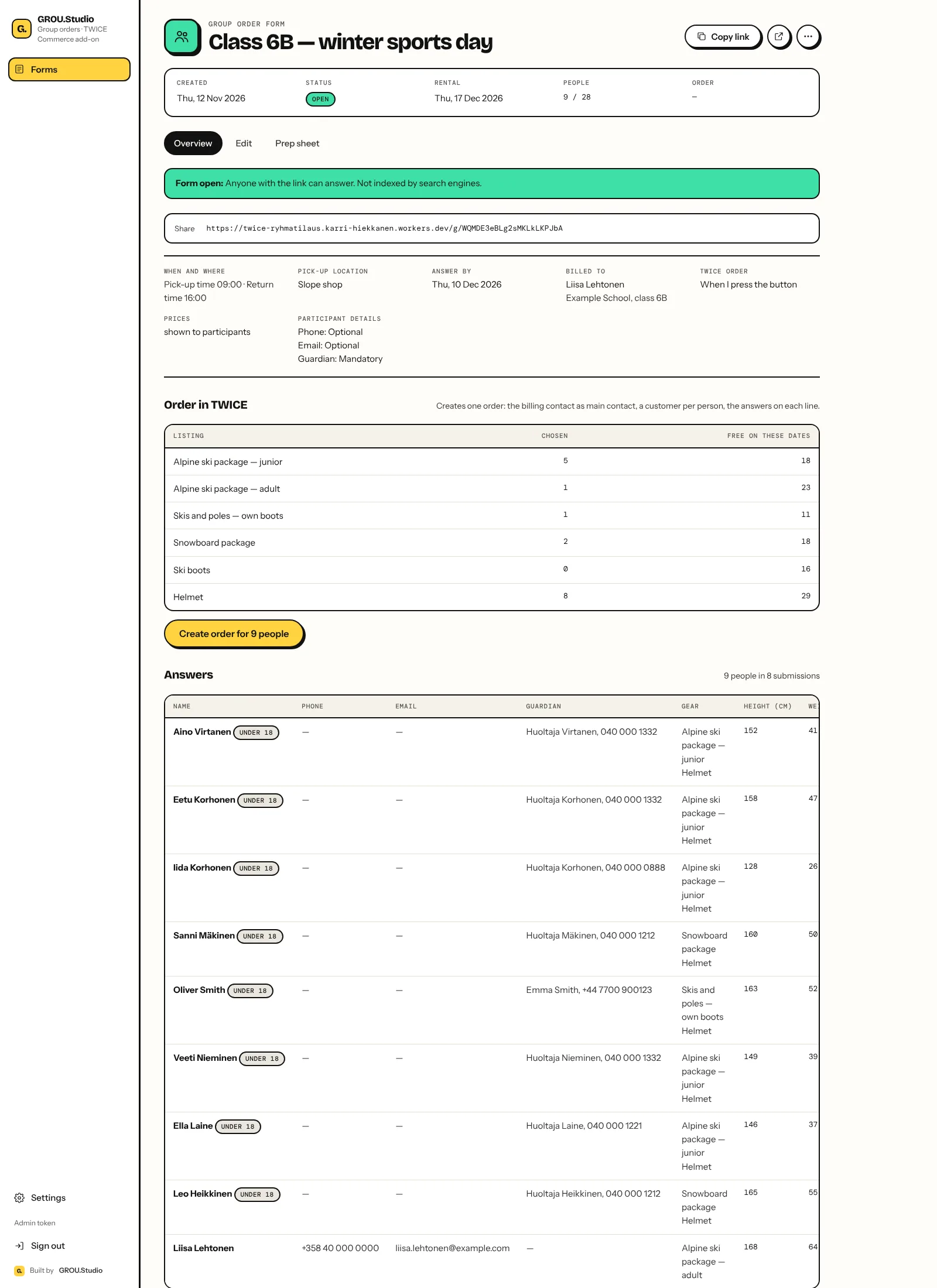
The answers don’t stay on the form. They become one order in TWICE Commerce: the organiser as the billing contact and each participant as their own customer, with their own lines and their answers on them. When the organiser opens the payment link, every item is already on the right person.
In the admin you see every answer in one table, with the stock for the dates next to how many have chosen each product.
You can try the form yourself on the group orders page.
The part that trips everyone up: the questions belong to the product
When people start building a group form, the first idea is a question list in a form tool: height, weight, shoe size. That works for one winter. Then you add a snowboard, which needs a stance, and a helmet, which needs head circumference. The form has to be rebuilt, and old answers no longer land on the right lines.
A group form works when the questions live where the product lives: in the TWICE Commerce checkout settings. Then the online store and the group form ask the same things, and each answer goes on the order in exactly the field the technician looks at.
The question belongs to the product, not to the form.
For ski rental: DIN ready in advance
A ski binding’s release value (DIN) comes from weight, height, age, skier type and boot sole length. When those are already on the form, you can have a list before the group walks in.
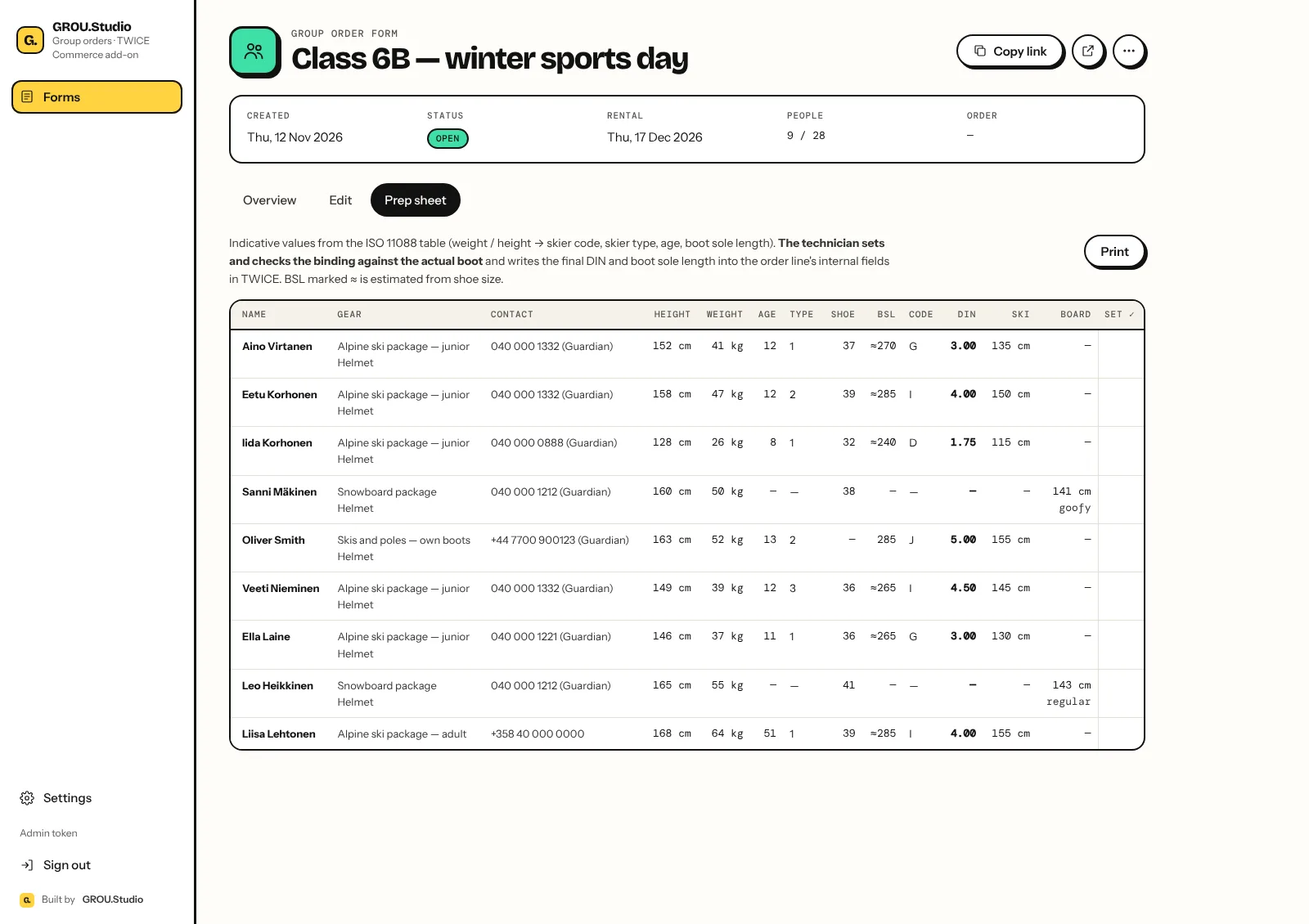
The values are indicative, from the ISO 11088 table. The technician sets and checks the binding against the actual boot and writes the final value in the order line’s internal field. The list still saves the time 25 calculations take at the counter.
What to decide before you start
- Who pays? Usually the organiser gets one payment link. If everyone pays for themselves, that’s a different setup.
- Show prices? If the school has an agreed group price, hide prices on the form.
- When is the order created? With a button once everyone has answered, or straight away, which reserves stock as the answers come in.
- Deadline. A week before the rental day leaves time to check sizes and order what’s missing.
- Minors. For a school class, the guardian’s phone is usually mandatory.
Common mistakes
The questions only on the form
If the questions only live in a form tool, the online store and the groups ask different things, and the answers have to be matched by hand.
The whole class on one customer
25 ski packages on one customer don’t tell the technician whose skis are whose. Make each participant their own order customer.
The payment link too early
If the link goes out before everyone has answered, the total is short. Make the link when the group is complete, or a new one after changes.
A few common questions
Do participants need to register? No. The link is enough. After answering, everyone gets their own link to change their answers.
Can outsiders find the form? No. The link can’t be guessed and search engines don’t list it.
Does this work for more than skis? Yes. The questions come from the products, so the same form works for bikes, kayaks, SUP boards or workwear.
What happens to the answers after the rental? The form’s answers are deleted 30 days after the rental. The order in TWICE Commerce stays.
Is the form in Finnish too? Yes. Participants can switch language, and the admin works in both.
The One-Sentence Summary
If you remember one line:
Collect a group’s sizes with one link, against the products’ own questions, and you get one order with a line per person.
Groups are good customers for a rental business: a big order, one payer, and often the same group again next year. When the sizes arrive in the right shape, they’re easy to serve too.