When a customer books your “Gravel Bike,” some actual bike has to be reserved. But a Listing in TWICE Commerce never names a specific unit — it doesn’t hold a pointer to “bike #4.” Instead it carries a rule that describes the stock it needs, and the system matches a real unit at order time.
That indirection (covered in Listings, SKUs, and Stock Items) is what lets one Listing draw from a whole pool of units — and, as we’ll see, lets one pool of units feed many Listings. The interesting part is how you describe what you need.
A Listing doesn’t own its stock — it describes the stock it needs. Name an exact SKU, or describe a characteristic like size or type.
You set this on the Listing’s Fulfilment tab, under Stock items, where each rule reads Stock item where [field] [operator] [value].
Match by SKU: name the type
The everyday case: reserve a unit of one specific product type.
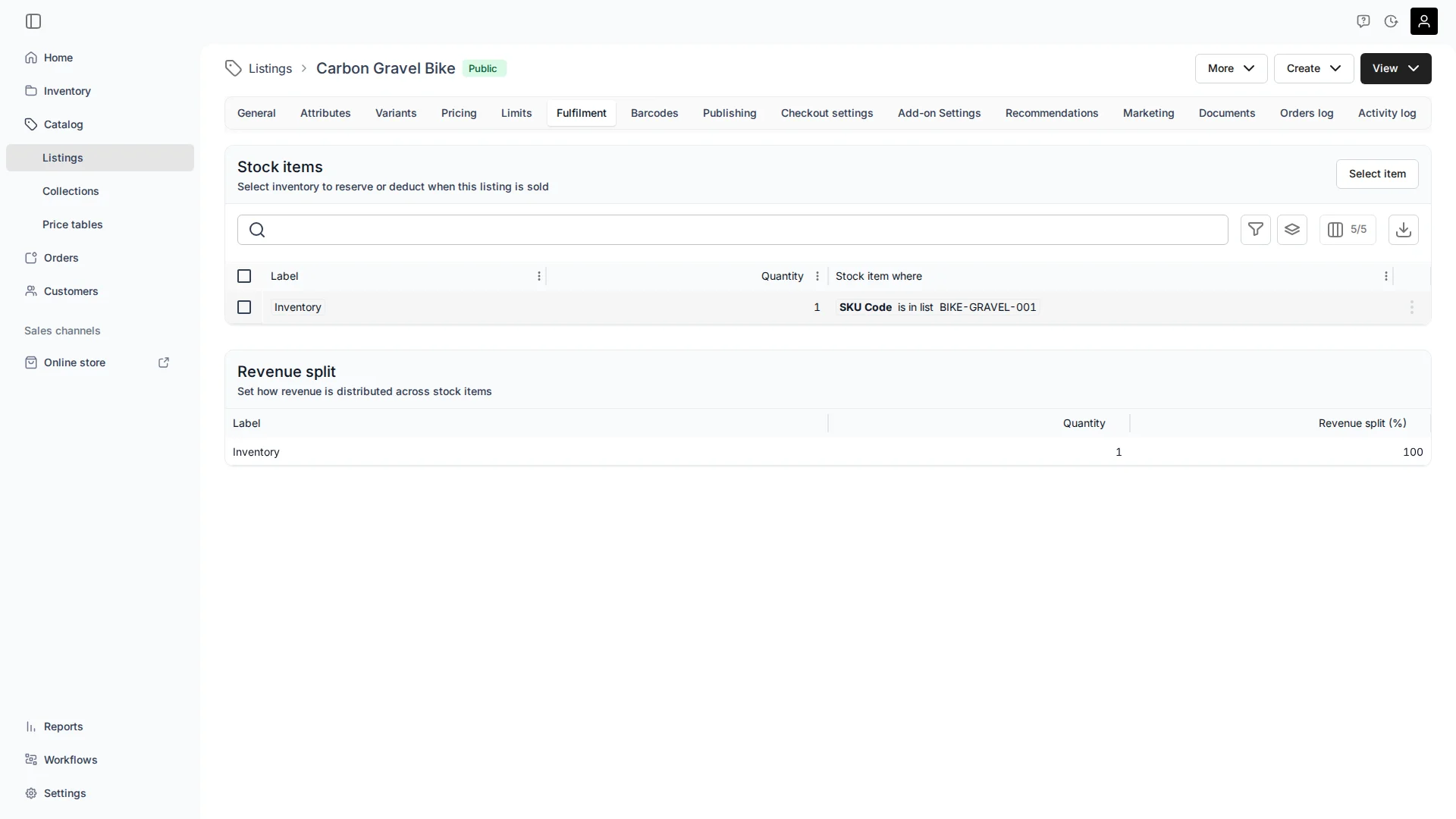
The Carbon Gravel Bike reserves 1 unit where SKU Code is in list BIKE-GRAVEL-001. Whichever physical bike of that SKU is free gets committed. Precise and predictable: only that exact type fulfils this Listing.
Match by attribute: describe a characteristic
The flexible case: match by what an item is, not which SKU it carries.
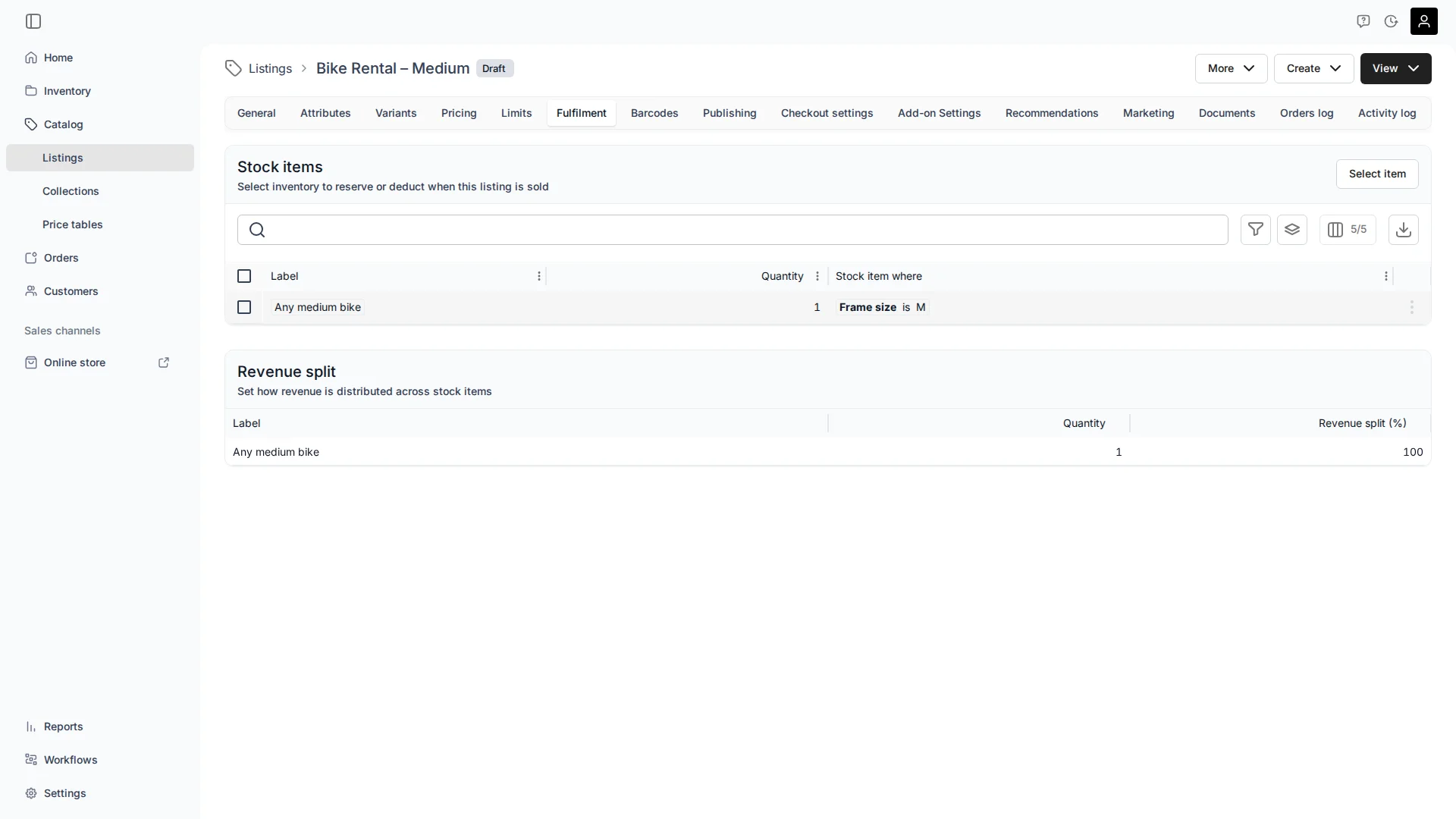
This Bike Rental – Medium reserves a unit where Frame size is M — any medium bike, regardless of model or brand. Add a new medium model next month and it qualifies automatically. The same works for type (Type is Gravel), material, or any characteristic you track.
Building the rule
Open Select item and Add condition, and you choose a field. Alongside the four built-in fields — Item Code, SKU Code, Item Name, SKU Name — you’ll see every attribute you’ve defined on your inventory:
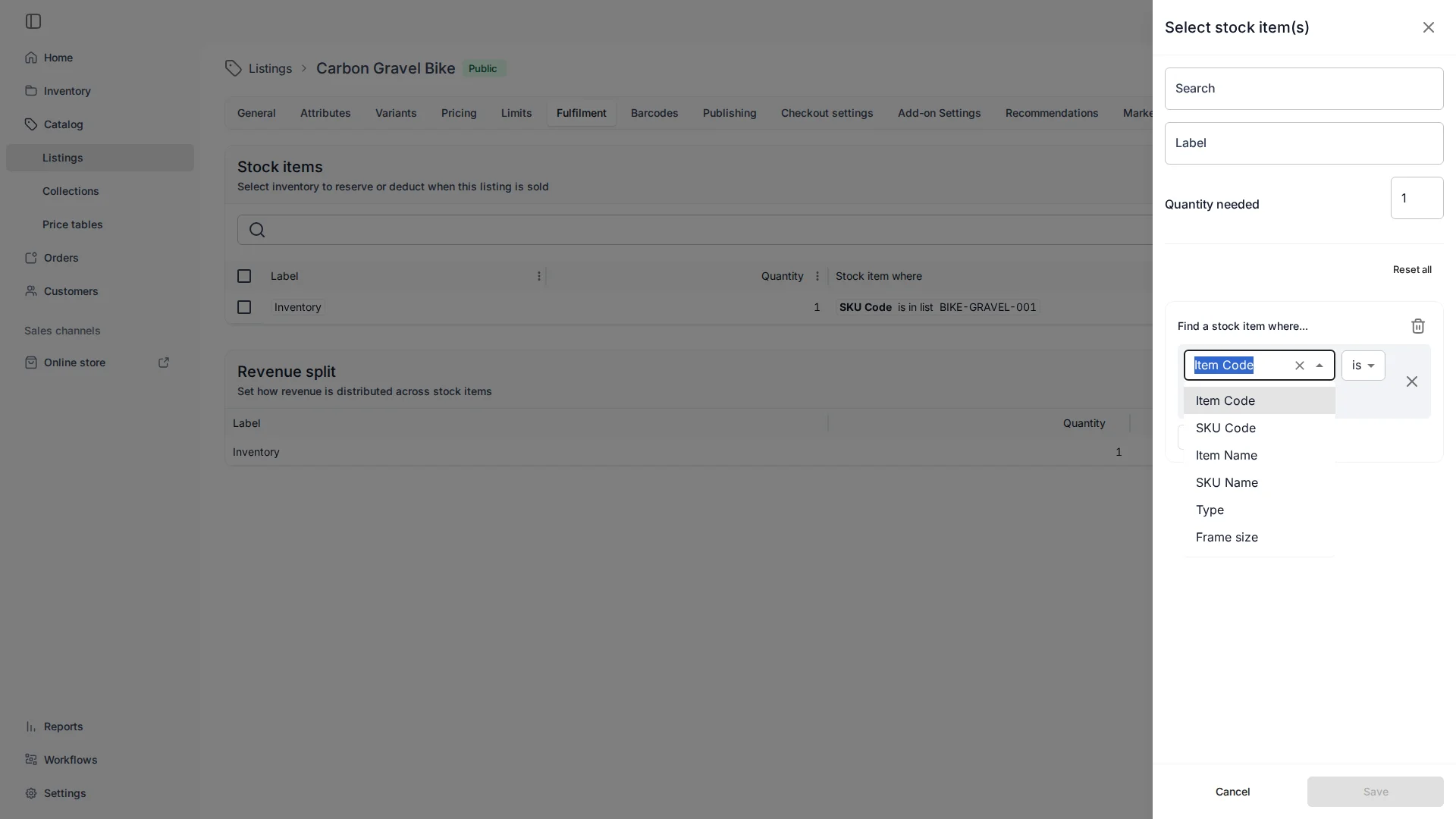
Type and Frame size are there because they’re set on the bikes. Pick a field, an operator (is, is in list, contains, starts with…), and a value — and for an attribute, the value list offers what you’ve actually used:
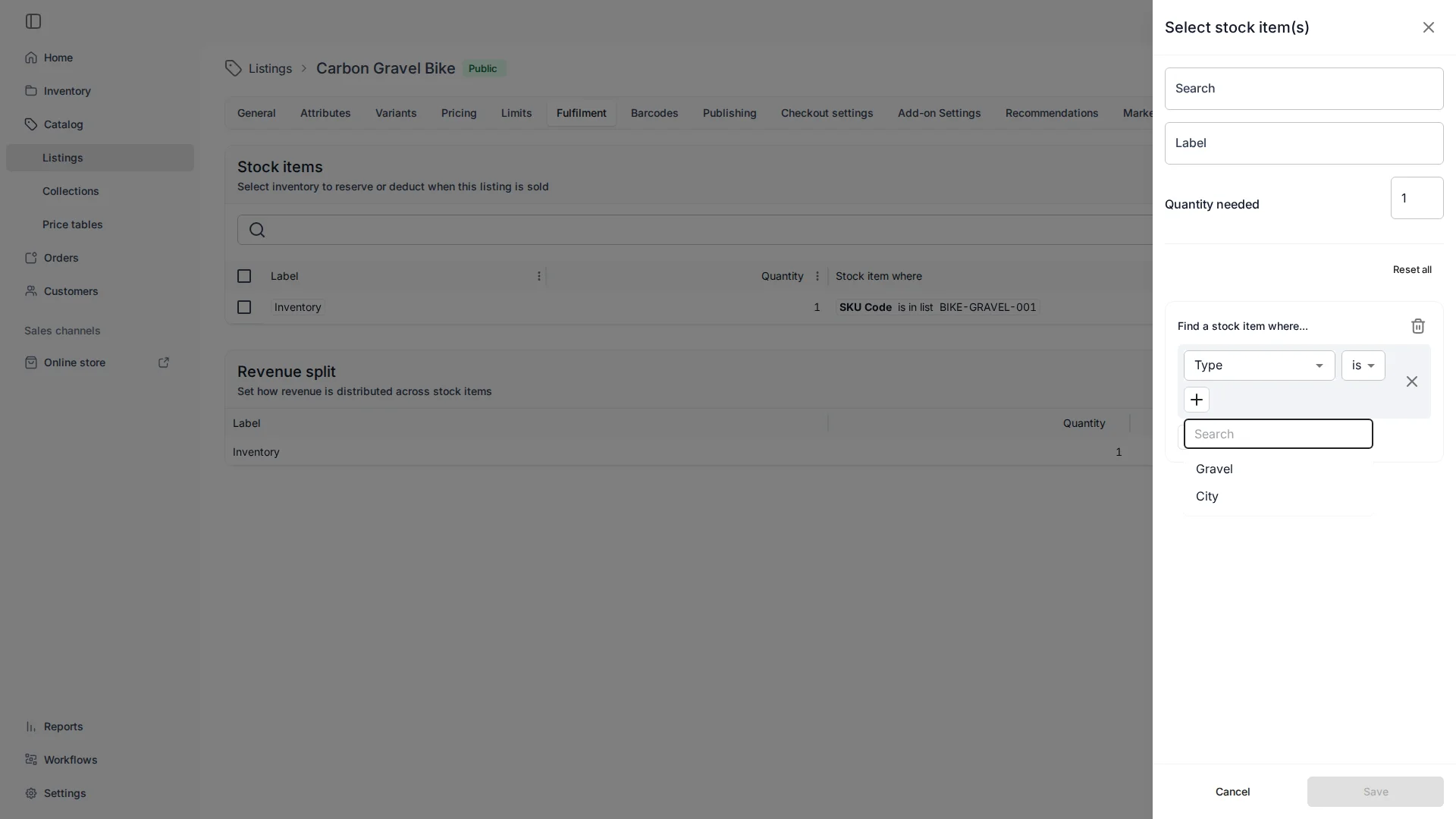
The catch worth knowing: an attribute is matchable only once it exists on your inventory. Define Frame size on the SKU (units inherit it) and it shows up here; an empty catalog only offers the code and name fields at first. And because the operators include contains and starts with, you can also match code or name patterns when your codes carry meaning — SKU Code starts with BIKE-GRAVEL catches the whole gravel family without an attribute at all.
One Listing can need several items
A rule reserves one kind of stock — but a Listing can carry several rules, each pulling something different. Add a second rule and you’re building a combo. Here a “Gravel Bike + Helmet” already has its bike rule, and a second rule for the helmet is going in:
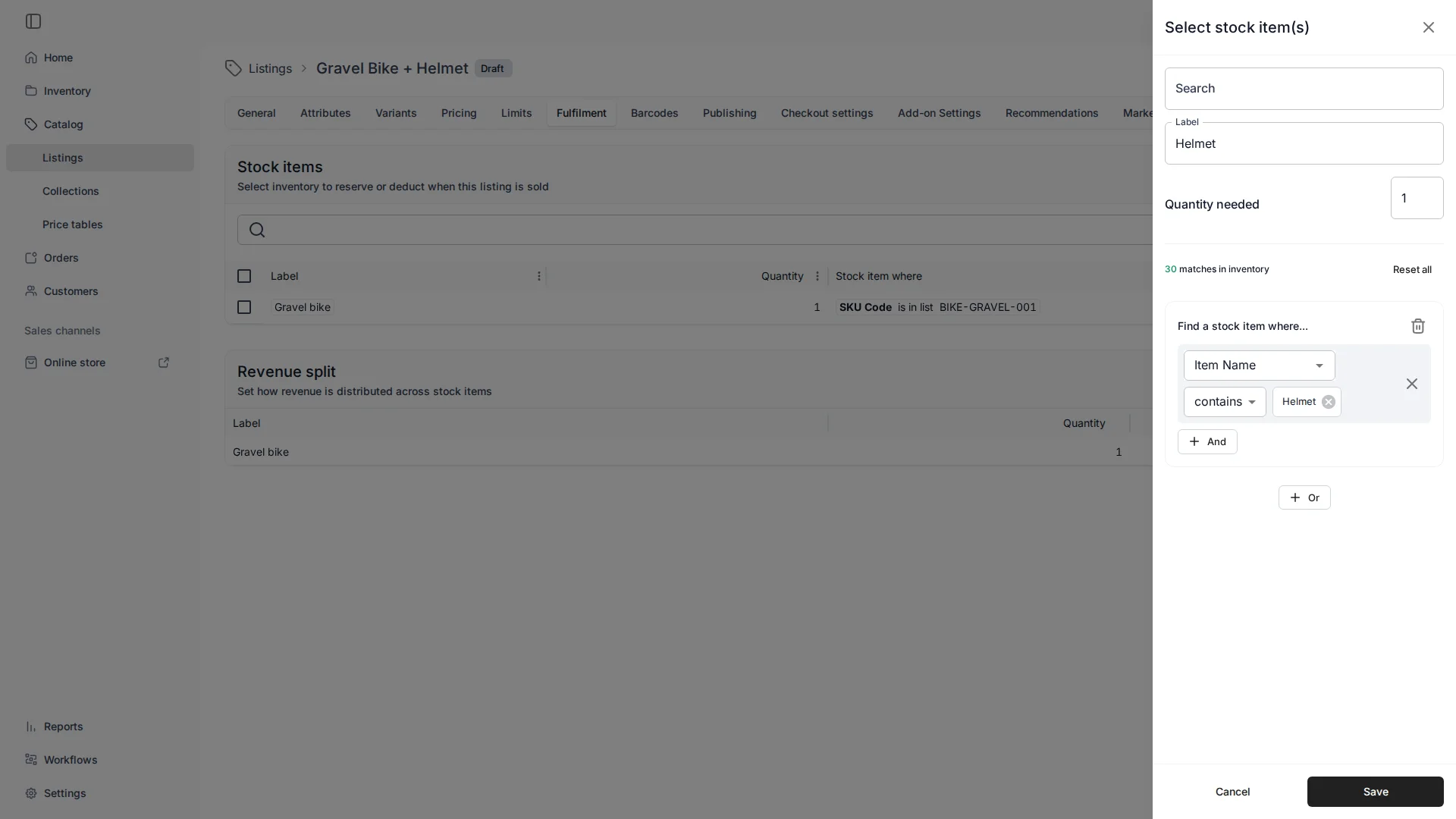
Save it, and the Fulfilment page lists both rules side by side:
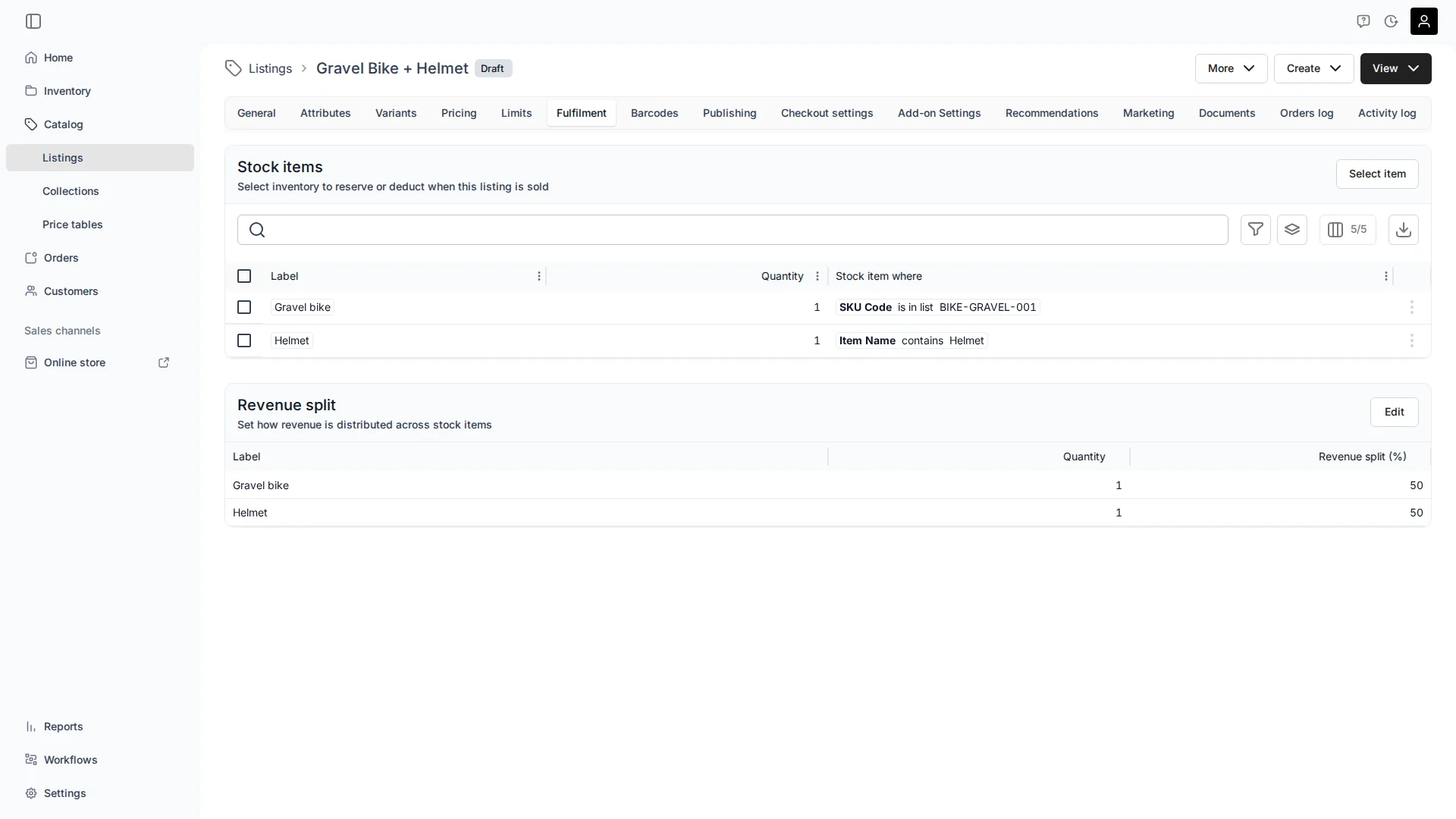
If any component is short for the dates, the whole thing is unavailable — availability is computed across every rule. Take it further — 1 table and 6 chairs — and you’ve got a bundle, where that single price is also shared back across the items. See Bundles and Revenue Share.
One inventory, many Listings
Here’s the real payoff of describing stock instead of pointing at it: the same units can power several Listings at once. Your gravel bikes can sit behind:
- a “Gravel Bike” Listing that matches
Type is Gravel— the system picks any free gravel bike, and the customer never thinks about which one; and - a “Choose your exact bike” Listing per unit, each matching one specific
Item Code, so a customer can reserve that bike.
Both draw from the same physical inventory — no duplication, no separate stock to keep in sync. (More permutations of this in Listings, SKUs, and Stock Items: one bike, three Listings.)
The thing that trips people up
A rule is evaluated at order time against whatever stock matches then — not frozen at the moment you wrote it. That’s the superpower (new matching units join automatically) and the trap (so does anything you accidentally tagged or named into the pattern). A Frame size is M rule silently picks up every future medium; a SKU Name contains Bike rule will happily grab an exercise bike you never meant to rent.
So: exact SKU matching is predictable and self-documenting; attribute and pattern matching are flexible and future-proof, but only as disciplined as your tagging and naming. Pick exact when the set is fixed; pick an attribute when you’re slicing by a real characteristic.
A few common questions
Does a Listing point to a specific Stock Item? No. It holds a rule that matches stock at order time. Whichever matching unit is free gets reserved.
Can I match on a bike’s size or type?
Yes — define that attribute on the SKU or Stock Item (e.g. Frame size, Type), and it becomes a matchable field. Until an attribute exists on your inventory, only the code and name fields show.
What can I match on in total?
Item Code, SKU Code, Item Name, SKU Name, and any inventory attribute you’ve defined — with operators like is, is in list, contains, and starts with.
Can one Listing reserve several different items? Yes — add a rule per item (1 table + 6 chairs). See Bundles and Revenue Share.
Can several Listings use the same inventory? Yes — that’s the point of matching rather than pointing. A generic “Gravel Bike” and a “pick your exact bike” Listing can both draw from the same bikes.
How do I reserve one specific unit? Match by Item Code or Item Name, or select that Stock Item directly in the editor.
The One-Sentence Summary
If you remember one line:
A Listing describes the stock it needs — name an exact SKU, or match an attribute — and because it describes rather than points, one pool of stock can feed many Listings.
Getting this right — which attributes to define, where exact SKUs matter, and how to layer several Listings over one inventory — is one of the things we set up together in a session, so your catalog connects to your stock without a spreadsheet of exceptions.